Six Flags Georgia Guide1.0
Publisher Description
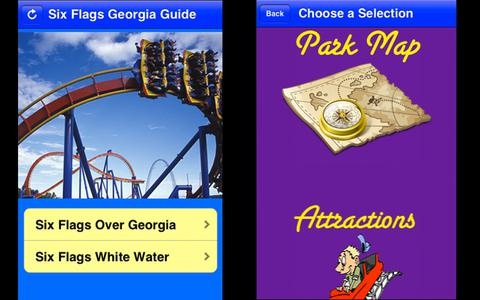
A Complete Guide to Six Flags Georgia including Six Flags Over Georgia and Six Flags White Water Atlanta.
WHAT S INCLUDED:
Restaurants & Dining Information
Rides
Entertainment and Show Information
Park Map
Water Park
Pictures
Six Flags is one of the world s premiere amusement parks where you can test your courage on pulse-pounding roller coasters, take in a world-class show, and enjoy colorful live entertainment all year long.
State-of-the-art rides such as "Batman" and "Superman: Ultimate Flight" twist, turn, and excite guests with unprecedented thrills, defying gravity, and so much more!
FEATURES:
Dining options for Six Flags restaurants
Ride information with complete description
Entertainment and Show Information
Includes all Six Flags Georgia Parks
No network connection required
Free app updates to get new features
Plan your vacation, save money and explore the excitement of Six Flags Over Georgia and Six Flags White Water Atlanta with the Six Flags Georgia Guide App.
See Our Other Theme Park Apps Including:
Hidden Mickeys: Disneyland
Hidden Mickeys: Disney World
Wisconsin Dells Waterparks
Hidden Mickeys: 4 Parks and Cruise
Requires iOS 3.0 or later. Compatible with iPhone, iPad, and iPod touch.
About Six Flags Georgia Guide
The company that develops Six Flags Georgia Guide is Flora's Secret. The latest version released by its developer is 1.0.
To install Six Flags Georgia Guide on your iOS device, just click the green Continue To App button above to start the installation process. The app is listed on our website since 2012-07-14 and was downloaded 9 times. We have already checked if the download link is safe, however for your own protection we recommend that you scan the downloaded app with your antivirus. Your antivirus may detect the Six Flags Georgia Guide as malware if the download link is broken.
How to install Six Flags Georgia Guide on your iOS device:
- Click on the Continue To App button on our website. This will redirect you to the App Store.
- Once the Six Flags Georgia Guide is shown in the iTunes listing of your iOS device, you can start its download and installation. Tap on the GET button to the right of the app to start downloading it.
- If you are not logged-in the iOS appstore app, you'll be prompted for your your Apple ID and/or password.
- After Six Flags Georgia Guide is downloaded, you'll see an INSTALL button to the right. Tap on it to start the actual installation of the iOS app.
- Once installation is finished you can tap on the OPEN button to start it. Its icon will also be added to your device home screen.
